
Electronic signatures for businesses

Your customers accept contracts directly from their mobile phones, without paperwork or certificates, while we safely store the evidence of each transaction in TES.
Zero
Personal certificates
API
API integration
TES
Safeguarded evidence
With Aviva, your customer signs the contract during the phone call itself, straight from their mobile phone without printing or scanning anything, and the proof of each signature is securely preserved in TES.
Many remote sales fall through between the customer's agreement and the actual signing. In telesales for utility tariffs or insurance policies, the document arrives precisely when your customer has made their decision.
Sign during the call

With mobile signing, your customer receives the link via SMS, email or RCS while speaking with your team and signs using an OTP code or by tapping ‘I accept’. The result is returned directly to your systems, and the evidence is safely stored in TES.
When contracts arrive by post or require downloading a certificate, a portion of customers never complete the process. With mobile signing, your agent instantly knows whether the deal is closed.
This contracting method is ideal for energy and water utilities, insurers and financial institutions that close transactions daily over the phone or via an app.
Your company initiates the request from its system and sends the link to the customer.
Your customer reviews the content and signs via the code or button.
The transaction is linked to the electronic contracting file and its evidence is preserved for future reference.
How your customer signs during the call
This ensures both the signature and its proof are integrated seamlessly into your team's workflow.
How electronic signatures work within your processes
Before launching the signing process, we review the complete journey with you. We examine which document your customer signs, at what stage of the process they do so, and via which channel the request is sent.
The same workflow applies to utility onboarding, an insurance policy, a service renewal or the acceptance of updated terms.
The document and signing method adapt; your team's workflow remains unchanged.
You can dispatch multiple documents in a single transaction—to be signed jointly or separately—and send them to several signers, sequentially or concurrently. We support PDFs of any file size.
Your team configures reminders, request expiry dates and resends, and the entire process is presented with your brand identity.
Your company's system generates the document using the customer's details.
Our platform dispatches the request via the chosen channel and records every step.
Your customer opens the document on mobile or desktop and accepts it using the chosen method.
Your application receives the outcome, and the signed document is attached to the client file.
Using this information, we configure your electronic contracting workflow
Signing methods
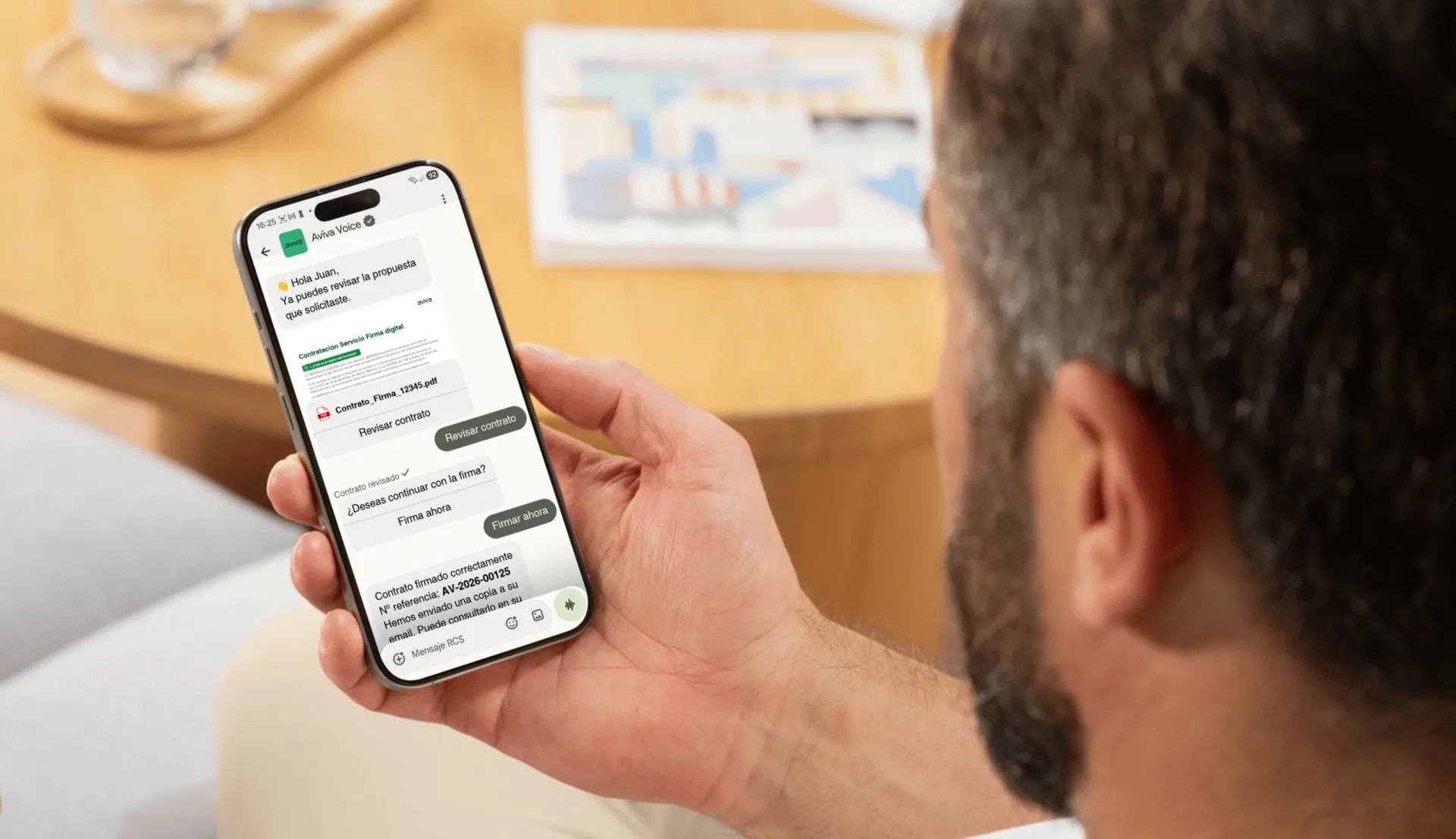
We offer qualified and advanced digital signatures with multiple methods for your customers to sign, such as an ‘I accept’ button, a one-time passcode (OTP) via SMS, email or RCS, or an on-screen handwritten signature. We review with you how your customer signs and what evidence must accompany each document.
Qualified digital signature
Identifies the signer unequivocally using a digital certificate, Face ID or Video ID. This provides the highest evidential value, as it reverses the burden of proof: if anyone disputes the signature, the burden of proof lies with the challenging party.
When should this signature be used?
Advanced digital signature
Identifies the signer based on data such as mobile number, IP address or OCR reading of their ID document, though not unequivocally.
When should this signature be used?
Signing methods
Whichever signature type you choose, your customer signs using the method best suited to your workflow, and we generate a comprehensive evidence certificate for all of them.
How can your client sign?
What was signed and how to preserve the proof

Every signature remains tied to the originating transaction. Using TES, we assemble the procedural evidence generated in partnership with Camerfirma, append our time stamp, and store it securely so you can retrieve the records whenever needed.
The evidence certificate details the date, your company's credentials as the requesting party (registered company name, tax ID and document reference), dispatch, delivery and access logs with time stamps and IDs, as well as the signature time stamp and IP address.
We retain this evidence for the period defined in your contract: 5 years in standard cases, and up to 15 years where industry-specific regulations demand it.
Should a client dispute what was agreed or an audit require the contract, your team can instantly locate the document and its audit trail using the transaction reference.
Document linked to the transaction.
Evidence certificate covering dispatch, delivery, access and signature.
Safekeeping and retrieval via TES.
The records preserved for each signature
Within your CRM or ERP

With our electronic signature API, your team connects signing capabilities directly to their day-to-day software—whether a proprietary platform, CRM or ERP—with zero integration fees. We agree on the data sent in the request, the response returned to your system, and the customer journey.
Before going live, you can test the signing flow in our sandbox environment. A standard integration is typically ready in around 15 days, depending on your team's pace, and we support you from initial connection until full operational deployment.
CRM and sales tools.
ERP and billing systems.
Contact centre software.
Client portals and mobile apps.
Proprietary in-house applications.
You can connect it, for example, to
Trust service provider

At Aviva, we operate as a qualified trust service provider under the European eIDAS Regulation. We are also a registered telecommunications operator with the CNMC.
Our information security management system is certified to ISO/IEC 27001:2022 by TÜV AUSTRIA, with a scope that includes digital signatures. We partner with Camerfirma, the certification authority of the Spanish Chambers of Commerce, to issue the evidence preserved by TES.
Frequently asked questions about electronic signatures

Tell us what your clients need to sign
What documents do your clients sign, at what stage, and from which system? Based on this, we will propose the best approach, the evidence to retain, and the associated costs.
Other Aviva services
Still not sure?
Complete your workflow with certified communications to provide legal proof of notification, channels and omnichannel solutions for alerts and campaigns, onboarding and identity verification for remote sign-up, and TES to review audit trails. Discover how companies in the utilities and insurance sectors use our platform.