
RCS messaging for businesses with images and buttons

Present notifications and campaigns in a visual format. Integrate RCS messages into your systems and view the delivery log for each recipient.
CNMC
Registered operator
27001
ISO/IEC 27001:2022
Brand
Images and buttons
With Aviva's RCS messaging, your notifications and campaigns feature your brand, images, and buttons, so your customer knows what to do next.
A confirmation or notification may require context so the customer can identify the reason for the communication. With RCS, the notification includes images and buttons, allowing your customer to see the purpose of the message and their next steps.
How to design RCS messages
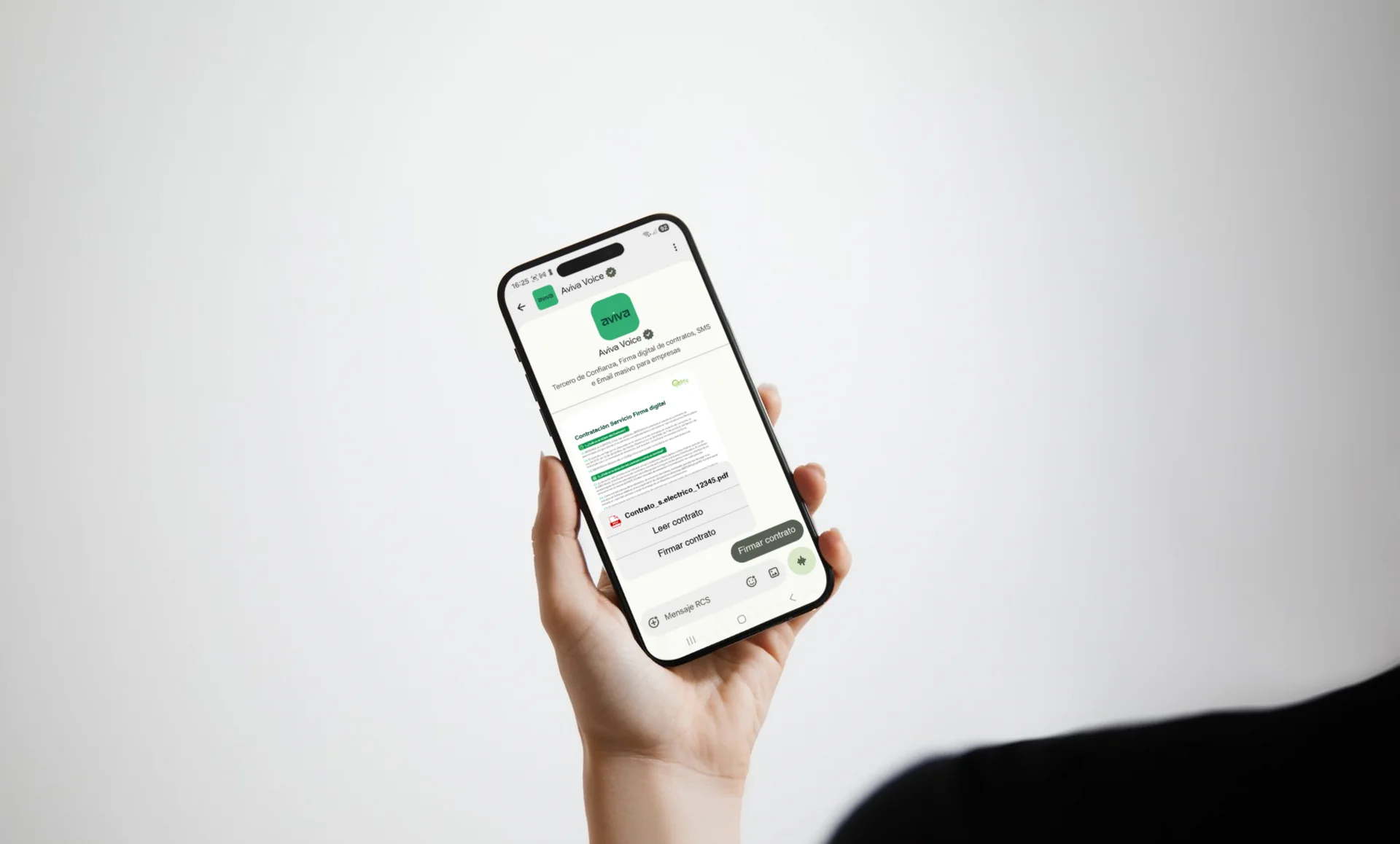
We integrate RCS into our business messaging. We use it for notifications, appointments, and campaigns where an image or a button helps your customer understand the message and respond.
SMS focuses on text. RCS adds visual resources and buttons that allow communications to be presented with a more recognisable brand experience.
Not all notifications require this format. An access code and a communication requiring an explanation of an action can be handled differently. We help you place each channel within your process.
Define what information the customer needs and what action you want to facilitate from the message.
Work with our team to prepare the integration and message design, including images and buttons.
Launch the send-out from your system and check the delivery log for each recipient.
Step by step
Delivery log for every message

Check the result of each RCS message per recipient directly from your system.
Connect RCS with your systems

Your team connects RCS via API to your CRM, ERP, or whichever application they use, and we do not charge for the integration. Our technical team supports the definition and implementation to adapt the channel to your business management. We also review how RCS fits with SMS, email, or WhatsApp.
RCS messaging FAQs

Let’s talk about your RCS messages
Tell us what you want to communicate and what action the customer should be able to take. We will review the format, integration, and the relationship between RCS and your company's other channels with you.